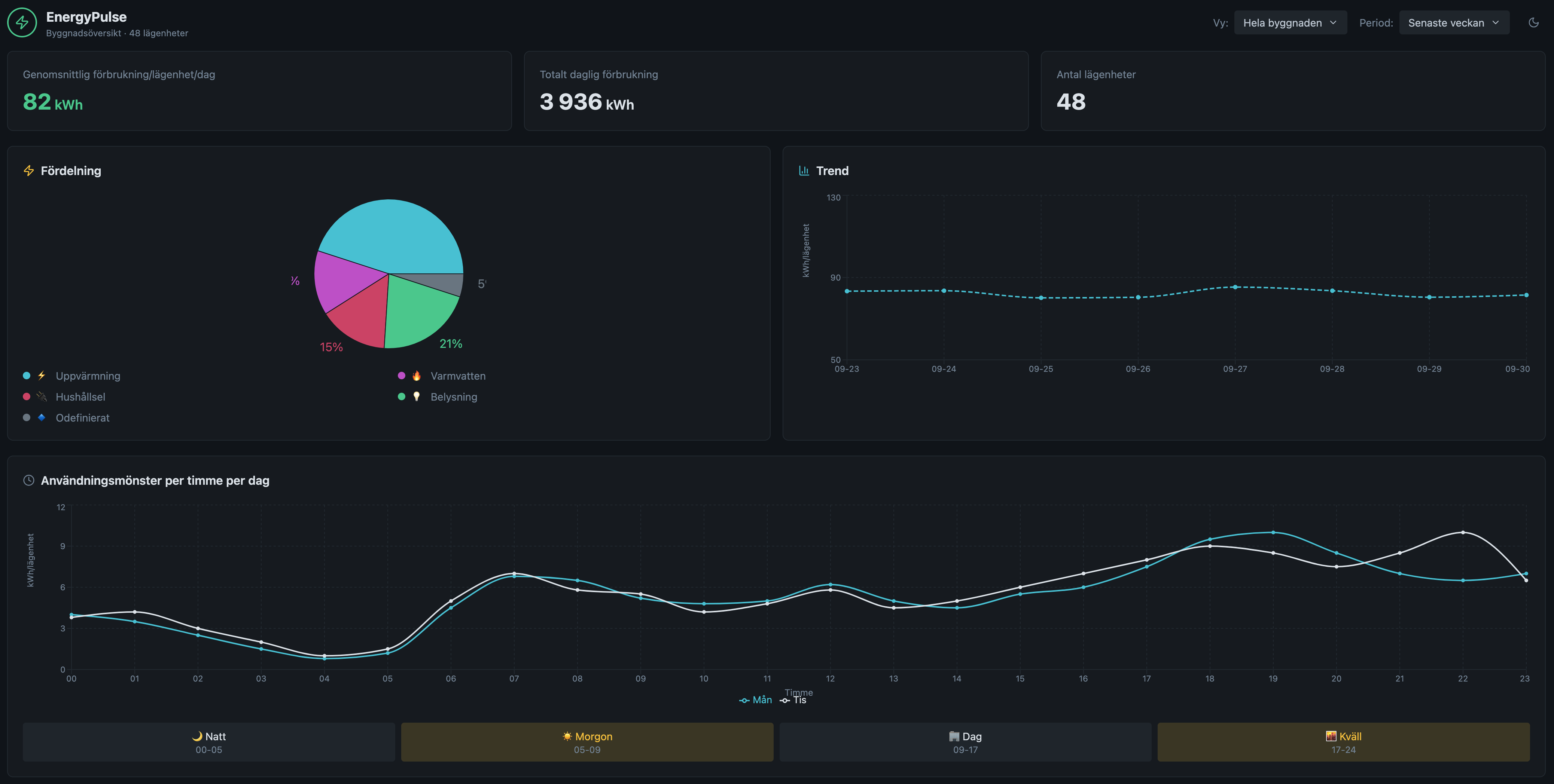
AI assistants and chat-based interfaces are becoming common in analytics tools. In business intelligence and observability platforms alike, users can ask questions about data, explore results through follow-up prompts, and in some cases create or refine reports and dashboards this way. The question is no longer whether this is technically possible. The more useful question is where it actually helps.
Dashboards are still one of the main ways people work with data. They give teams a persistent view of key metrics, trends, and comparisons, and make it easier to monitor, revisit, and share what matters. That is why the combination is interesting: if dashboards are where users keep important views, and AI assistants are becoming a standard part of analytics tools, it is worth asking what a better interaction model could look like.
Existing capability, unproven workflow value
Major platforms have been building conversational analytics into their products for several years now. Google's Looker supports natural-language questions grounded in its semantic model, with follow-up context preserved across the conversation. Amazon Q in QuickSight lets users build and refine dashboards through natural language. Grafana Assistant supports creating and editing dashboards, panels, and variables through prompts. Power BI Copilot generates reports and summaries from plain-language input. These are not prototypes. They are production features in widely used tools.
So the question is no longer whether chat can work with data. It already does, across a crowded field of general-purpose BI platforms and observability tools. The more useful question is whether it works well for dense, time-series-heavy operational dashboards in a specific domain, and whether it improves the workflow enough to actually change how people work.
That is a narrower and harder question, and it is the one worth asking about energy dashboards.
Two modes, two different problems
When vendors describe AI assistants in analytics tools, they tend to conflate two things that are actually quite different. One is helping users explore data: asking questions, following up, refining an analysis. The other is helping users manage dashboard views: reconfiguring layouts, updating time ranges, pinning charts. They sound similar, but they make different demands on the assistant.
Exploration is a flow state. The user is following questions without a fixed destination. Chat suits this well because it mirrors how thinking works: ask, get something back, adjust, ask again. Ambiguity is tolerable because the user is still forming the question.
Dashboard management is different. The user has a view they rely on and wants to adjust it precisely. Adding the wrong chart, applying the wrong time range, or disrupting a layout they depend on is costly. This requires a different kind of confidence from the assistant: not fluency, but accuracy and predictability. A wrong answer in exploration is a detour. A wrong answer in dashboard management breaks something.
Conflating the two is how AI features become novelty. A system good at exploratory conversation is not automatically good at reliable dashboard editing. Keeping these two modes distinct is the starting point for designing something that is actually useful in daily work.
Why energy dashboards are a useful test case
Energy dashboards are a good place to test both modes because the workflows are time-based, comparison-heavy, and repetitive. The same questions come up constantly:
- "What changed this week?"
- "Where did the spike come from?"
- "Which site is behaving differently?"
- "What is running after hours?"
- "How does production compare to consumption by hour?"
These are not edge cases. They are routine in environments where time-series data, operational changes, and recurring comparisons drive decisions. And they are exactly the kind of structured, repeating task where a better interaction model could plausibly save real time.
The friction in conventional dashboards is predictable: date pickers, filter chains, drill-down menus, and repeated view reconstruction just to follow one question to the next. If anything is worth testing a conversational interface against, it is this.
Workflow value over interface novelty
If an assistant only reproduces what existing controls already do, but with more ambiguity and less reliability, it is not an improvement. The value only appears when it removes friction from tasks that are genuinely repetitive and well-structured enough for the assistant to handle predictably.
The right design question is not "where can we add chat?" It is "which repeated tasks are frustrating enough, and structured enough, that a conversational shortcut would actually get used?"
That framing also sets an honest bar. Energy workflows that involve one-off investigative questions or complex multi-variable reasoning are probably not good candidates yet. The sweet spot is tasks that are repetitive, time-bounded, and follow a consistent enough pattern that the assistant can handle them with confidence.
Which workflows are the most credible candidates
Based on the structure of energy data workflows, three task types stand out as worth testing.
Period comparisons. "How does this week compare to last week, and to the same week last year?" is one of the most common questions in energy analysis, and one of the most tedious to set up repeatedly. A conversational shortcut ("show me week-on-week for site A, excluding weekends") could replace several manual steps with a single prompt. The task is well-defined, the friction is consistent, and the structure is simple enough that an assistant could handle it reliably. This is probably the highest-value starting point.
Anomaly investigation. When a spike or dip appears, the natural next step is a sequence of narrowing questions: which site, which time window, which load category. This is exactly the kind of iterative, context-carrying exploration that conversational interfaces handle well. Rather than rebuilding the view for each sub-question, a user could follow the trail in a single thread without losing context.
After-hours and off-pattern consumption. Identifying what is running outside expected windows (and how much it costs) involves layered filtering by time-of-day, day-of-week, and threshold. These queries have a consistent shape, which means they are good candidates for conversational shortcuts that can be reused and refined without starting from scratch each time.
What these three share is that they are time-bounded, comparison-oriented, and structurally predictable. That is a much narrower claim than "chat makes energy dashboards better," but it is a more honest and testable one. It is also narrow enough that a small prototype could actually answer whether it works.
What would need to be true
None of this is settled. For conversational support to become a real workflow improvement rather than a demo feature, a few things would need to hold up in practice: users would need to reach for the chat interface rather than defaulting to existing controls; the assistant would need to handle domain-specific vocabulary (sites, meters, load types, tariff periods) without constant correction; and the exploratory and dashboard-management modes would need to feel distinct enough that users trust each one for the right task.
Those are testable questions. And they are specific enough that a focused prototype, run with real users on real workflows, could produce a clear answer rather than just more assumptions.
